
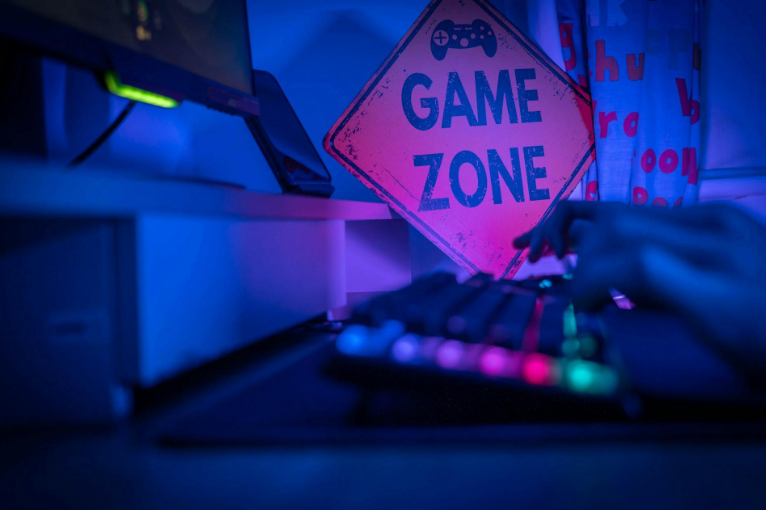
Creating a comfortable gaming area does not necessarily require a dedicated room or an expensive desk. Even a small corner of a bedroom or living room can work well when the available space is measured carefully and the furniture is arranged around the activities it needs to accommodate.
Desk dimensions, viewing distance, chair clearance and screen size all influence how comfortable a setup feels. A few inches can determine whether there is enough room to move freely or whether a desk feels cramped after an hour of use.
Understanding these measurements before buying furniture helps avoid common mistakes and makes it easier to create a practical gaming space, regardless of the room’s size.
Start by Measuring the Available Floor Space
Before choosing a desk or monitor, measure the area where the gaming setup will be located. Record the width and depth of the available space, paying attention to doors, windows, electrical outlets and nearby furniture.
A desk that fits perfectly against a wall may still create problems if it blocks a doorway or leaves insufficient space for a chair.
As an illustration, a corner measuring 60 inches wide and 72 inches deep provides an area of 30 square feet. However, the entire area cannot be occupied by furniture because users still need room to sit, stand and move comfortably.
It is also worth measuring the distance to the nearest electrical outlets. A convenient location for a desk becomes less practical if power cables must stretch across a walkway.
Drawing a simple floor plan can help homeowners compare different furniture arrangements before making purchases.
Match the Desk Dimensions to the Activity
The ideal desk size depends on the equipment being used and the activities taking place.
Someone who plays computer games with a large monitor, keyboard and mouse needs more surface area than a person who primarily uses a laptop or smartphone.
A desk approximately 48 inches wide and 24 inches deep may accommodate a relatively simple computer setup, although additional equipment can quickly make the surface feel crowded. A wider desk offers more flexibility for speakers, accessories and multiple screens.
For people who enjoy browser-based entertainment, a smaller setup may be sufficient. Someone accessing a casino online through a laptop, for instance, may not need the same desk space as a player using several monitors and specialised gaming equipment. Real-money casino games are intended for adults and involve financial risk, regardless of the device or screen size used.
The important consideration is matching the furniture to the equipment rather than purchasing the largest desk that will fit.
A smaller, well-organised surface can be more comfortable than an oversized desk that leaves little room for movement.
Allow Enough Clearance for the Chair
Chair clearance is one of the easiest measurements to overlook when planning a gaming area.
A desk may fit comfortably against a wall, but the setup will feel cramped if there is insufficient space to move the chair backward or stand up.
As a practical starting point, allowing approximately 36 inches behind a desk can provide useful room for movement, although the necessary clearance depends on the chair and surrounding layout.
Chairs with reclining backs or large bases may require additional space.
The distance between the desk and nearby furniture also matters. A chair positioned too close to a bed, cabinet or bookshelf may prevent users from adjusting their seating position comfortably.
Before finalising the arrangement, place the chair in the proposed location and test how easily it moves.
This simple exercise can reveal layout problems that are difficult to identify from measurements alone.
Understand Monitor Size and Viewing Distance
Computer monitors are measured diagonally, following the same convention used for televisions and smartphones.
A 27-inch monitor has a diagonal screen measurement of approximately 68.6 centimetres. However, its actual width and height depend on the aspect ratio.
For a standard 16:9 display, a 27-inch screen measures approximately 23.5 inches wide and 13.2 inches tall, excluding its frame and stand.
Viewing distance is equally important. Sitting too close to a large monitor may require excessive head or eye movement, while sitting too far away can make text and small interface elements difficult to read.
Users should adjust their viewing distance according to screen size, eyesight and the type of content displayed.
Desk Height and Ergonomics Matter
A comfortable gaming setup should allow users to maintain a relaxed sitting position without placing unnecessary strain on their wrists, shoulders or neck.
Standard desks are often around 28 to 30 inches high, but this height will not suit everyone. Chair adjustment, individual body proportions and keyboard placement all influence the most comfortable working position.
The Occupational Safety and Health Administration (OSHA) provides guidance on computer workstation ergonomics, including monitor positioning, seating and keyboard placement.
The aim is to keep frequently used equipment within comfortable reach while avoiding awkward postures.
A monitor stand or adjustable arm can help position the screen appropriately without taking up excessive desk space. An adjustable chair can also make a fixed-height desk more comfortable.
Rather than relying on one supposedly ideal measurement, users should choose equipment that can be adjusted to their individual needs.
Consider the Space Required for Accessories
Gaming equipment can occupy considerably more room than the main screen or computer.
A full-size keyboard, mouse, speakers, headphones and charging accessories all compete for desk space. Console setups may also require room for controllers and other devices.
Before purchasing furniture, measure the equipment that will remain on the desk and allow additional space between frequently used items.
A monitor arm can free up surface area by eliminating the need for a large stand. Under-desk cable trays and wall-mounted shelves offer further storage without increasing the desk’s footprint.
For smaller rooms, vertical storage is often more practical than adding another cabinet or side table.
Keeping the floor clear is especially important when the gaming area shares space with other household activities.
Make a Small Gaming Corner Feel Larger
Limited floor space does not automatically prevent homeowners from creating a comfortable entertainment area.
A compact desk positioned against a wall can provide sufficient room for a laptop and essential accessories. Wall-mounted shelves offer storage without occupying additional floor space, while a monitor arm can make a narrow desk more usable.
Lighting also influences how spacious the area feels. A well-positioned desk lamp can illuminate the working surface without requiring a large floor lamp.
Homeowners should avoid positioning screens directly opposite bright windows when reflections interfere with viewing.
Where space is particularly limited, a foldable desk or furniture with built-in storage may offer greater flexibility.
The objective is to preserve enough open space for comfortable movement rather than attempting to fit every possible accessory into a small corner.
Measure First, Purchase Second
A practical gaming setup begins with accurate measurements rather than expensive equipment. Desk width, chair clearance, monitor dimensions and viewing distance all contribute to the overall comfort of the space.
Measuring existing furniture and testing possible layouts before purchasing additional items can prevent costly mistakes. It also helps identify where adjustable equipment or better storage would make the greatest difference.
Whether the available area is a small bedroom corner or an entire entertainment room, thoughtful planning can make it more comfortable and functional.
A few carefully considered measurements are often enough to turn an awkward arrangement into a space that works well for everyday use.