
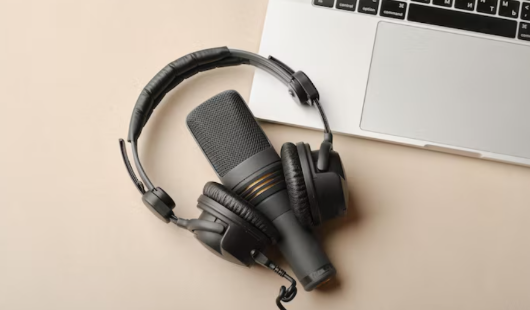
Clear audio has become an important part of using a computer. People now depend on microphones for work meetings, online classes, gaming, podcasting, video production, and everyday conversations. While most computers have built-in microphones, these do not always provide the sound quality needed for professional or regular communication. An external microphone can offer clearer voice capture, better control and a more comfortable experience.
Microphones for PC have also improved over the years. Modern devices come with different connection types, recording features and sound adjustments to suit various users. Whether someone works from home, creates online content or simply wants better audio during video calls, understanding how computer microphones work can make choosing the right equipment much easier.
Understanding How Computer Microphones Capture Sound
A computer microphone converts sound waves into signals that a computer can process and record. When someone speaks, the microphone captures the vibrations created by their voice and turns them into an audio signal. The computer then uses this information for communication, recording or other applications.
The quality of the captured sound depends on several factors, including the microphone’s design, sensitivity and ability to handle background noise. Built-in microphones are convenient because they are already part of laptops and other devices. However, their small size and fixed positioning can sometimes result in weaker audio, especially when the user is sitting far from the computer.
External microphones provide more flexibility because they can be placed closer to the speaker. They also come in different designs for specific purposes, making them suitable for everything from casual conversations to professional recording sessions.
Different Microphone Types for Computer Users
Choosing a microphone starts with understanding the available types. Dynamic microphones are known for their durability and ability to handle loud sounds. They are often used in live performances and recording environments where background noise needs to be managed. Because they are generally less sensitive than condenser microphones, they can be useful in rooms that are not fully soundproofed.
Condenser microphones are designed to capture more detail and respond to a wider range of sound frequencies. They are popular among podcasters, musicians and content creators who want detailed voice recordings. However, their sensitivity means they may also pick up keyboard sounds, fans and other noises in the room. Proper positioning and a suitable recording environment can help improve their performance.
USB microphones are another popular option, especially for people who want a simple setup. They connect directly to a compatible computer and often work without requiring a separate audio interface. This makes them practical for online meetings, gaming and beginner-level content creation.
Lavalier microphones offer a different approach. These small devices are usually clipped onto clothing near the speaker’s mouth. They are useful for presentations, interviews and video recording because they allow hands-free movement while keeping the microphone close to the speaker.
Important Features to Check Before Buying
Not all microphones capture sound in the same way. One feature worth understanding is the polar pattern, which describes the direction from which a microphone picks up sound. A cardioid microphone mainly captures sound from the front, making it suitable for individual speakers who want to reduce noise coming from behind the device.
Omnidirectional microphones capture sound from several directions. They can be useful for group conversations and meetings where multiple people need to speak. Bidirectional microphones capture sound from the front and rear, making them suitable for certain interview and discussion setups.
Frequency response is another factor that affects how a voice sounds. Some microphones reproduce sound more neutrally, while others are designed to emphasise certain frequencies. A natural and clear voice is usually more important than simply choosing a microphone with the widest advertised frequency range.
Users should also consider sensitivity, gain controls and built-in mute functions. These features make it easier to manage sound levels and prevent unwanted audio from being transmitted during calls or recordings.
USB, Wireless and Other Connectivity Options
Connectivity plays a major role in how convenient a microphone is to use. USB microphones are among the easiest options for computer users because they can usually be connected directly to a USB port. Many models include built-in audio processing, reducing the need for additional equipment.
Some professional microphones use XLR connections. These typically require an audio interface or mixer before connecting to a computer. Although the setup involves more equipment, it provides greater control over recording levels and audio adjustments. This type of connection is often preferred by experienced podcasters, musicians and recording professionals.
Wireless microphones provide greater freedom of movement because users do not need to remain connected through a cable. They can be useful for presentations, interviews and recording videos. However, buyers should check battery life, connection stability and audio delay before purchasing. Compatibility with the computer and operating system should also be confirmed.
How Microphones Support Work, Gaming and Content Creation
Computer microphones are used in many areas of daily life. For remote workers, a dependable microphone helps make video meetings more productive. Clear speech reduces the need to repeat information and makes discussions easier to follow. This is particularly important when working with clients, colleagues or teams in different locations.
Content creators also depend on good microphones. Videos with clear narration are easier to understand, while podcasts require consistent voice quality to keep listeners engaged. A suitable microphone can improve recordings without requiring an expensive studio setup.
Gaming is another area where microphone quality matters. Players often communicate with teammates to share information and coordinate strategies. Background noise and unclear speech can make these conversations frustrating, especially during competitive matches. A microphone with a suitable pickup pattern and effective noise reduction can help maintain clear communication.
The Role of Software and Modern Audio Technology
Modern microphones often work alongside software that gives users more control over their recordings. Depending on the device, these applications may include equaliser settings, noise reduction, voice enhancement and volume adjustments. Such tools can help improve audio without requiring users to understand complicated recording techniques.
Digital signal processing also plays an important role in modern audio equipment. It can adjust sound levels, reduce unwanted noise and improve voice consistency. Some systems use beamforming technology to focus on sound coming from a particular direction. This can be helpful in offices and other environments where several sounds are present at the same time.
Artificial intelligence is also influencing microphone development. AI-powered noise reduction can identify certain background sounds and reduce them while keeping speech more noticeable. Although these features continue to improve, their effectiveness can vary depending on the device and surrounding environment.
Why Build Quality and Sustainability Matter
A microphone is often used for several hours at a time, so its construction should be considered before purchasing. A sturdy body, reliable cable and stable stand can help prevent problems during regular use. Adjustable positioning is also useful because it allows users to place the microphone at a comfortable distance.
Maintenance can help extend the life of audio equipment. Keeping the microphone clean, protecting it from moisture and storing it safely when not in use can prevent avoidable damage. Users should also handle cables carefully to reduce the risk of connection problems.
Sustainability is becoming another consideration in electronics manufacturing. Some companies are exploring recyclable materials, more efficient production methods and packaging that creates less waste. These changes reflect a growing interest in making technology more environmentally responsible while maintaining product performance.
Finding a Computer Microphone That Fits Your Needs
The right computer microphone depends on how it will be used, the available budget and the type of setup a person prefers. Casual users may only need a simple USB model for online calls, while streamers and podcasters may benefit from more advanced recording features. Professionals who need greater control may prefer microphones that work with external audio interfaces.
Before making a purchase, it is worth checking compatibility, sound quality, connection type and available controls. Reading practical reviews can also provide a better understanding of how a microphone performs outside a product description.
Computer microphones are no longer limited to recording professionals or audio enthusiasts. They have become useful tools for communication, entertainment and work. As technology continues to advance, users can expect more accessible features and improved audio performance, making clear communication easier across different digital activities.