
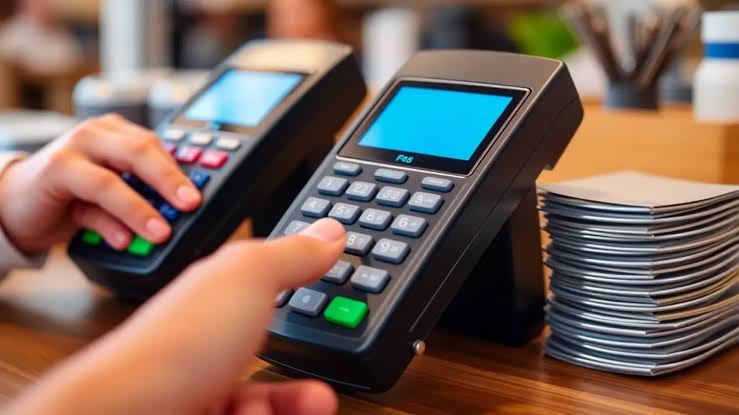
A payment terminal that does not fit your workflow can add costs beyond its purchase price. Before you sign anything, read this guide to choosing a credit card machine — because the format you pick determines your workflow, your overhead, and what breaks at 7pm on a Friday. Three formats dominate the small business market in 2026: countertop terminals, smartphone-paired readers, and standalone mobile smart terminals. Which one fits depends on a single question: where do you actually collect payment?
Three Formats, Three Different Workflows
Let’s cut to it. Each format solves a different operational problem.
Countertop terminals live on your checkout counter, plug into power, and connect via Ethernet or Wi-Fi. They’re stable, they’re fast, and they don’t need a smartphone nearby. Good for cafes, retail shops, any business where customers walk up to pay. The tradeoff: zero mobility. If your floor layout changes or you want tableside payment, the cord wins the argument.
Smartphone-paired readers — like the Clover Go — pair with your phone or tablet through a dedicated app. They accept chip, swipe, and contactless payments including mobile wallets. They use the phone’s Wi-Fi or cellular connection. Offline payment availability depends on the app, integration, and account configuration; confirm support and limits for your exact setup before relying on it. Lightweight, low upfront cost, but the phone is a dependency. No phone, no payment. Battery on both devices matters.
Standalone handheld smart terminals run their own software and don’t need a phone. Supported payment methods and connections depend on the model and account configuration. These devices can suit tableside service, catering, or mobile checkout. For a restaurant, distinguish a standalone payment terminal from a handheld POS that integrates orders and checks with your main system.
Format Comparison: What Actually Differs
| Feature | Countertop Terminal | Smartphone Reader | Standalone Handheld |
|---|---|---|---|
| Requires smartphone | No | Yes | No |
| Internet connection | Ethernet / Wi-Fi | Wi-Fi or cellular | Wi-Fi or cellular (built-in) |
| Built-in receipt printer | Usually separate | No (email/SMS) | Often built-in |
| Mobility | Fixed | High | High |
| Best for | Counter service, retail | Pop-ups, delivery, low volume | Table service, catering |
Check the printer situation before you buy anything. Countertop setups often need a separate receipt printer, which means another cable, another power outlet, another thing to break during a rush.
Three Real Scenarios — Pick Yours
Scenario 1 — Counter-service café. Customers order and pay at the register. A countertop terminal or an iPad-based POS with a card reader makes sense here. You want speed, reliability, and a receipt printer nearby. Mobility is not the priority. Check that the terminal fits your counter space alongside the printer and a cash drawer if you use one.
Scenario 2 — Full-service restaurant with tableside payment. Carrying a countertop terminal to each table is not a workflow, it’s a liability. A standalone handheld payment terminal can support tableside payment without a phone. Check whether the proposed model has built-in receipt printing, how it charges, and whether payments and checks integrate with your restaurant POS. The catch is cost: standalone handhelds typically run higher upfront than a basic card reader.
Scenario 3 — Pop-up shop or farmers market. You have no fixed location, no reliable Wi-Fi, and everything needs to fit in a bag. A smartphone-paired reader is the practical choice. Cellular data on your phone covers the connection requirement. Just verify your carrier’s coverage at the venue before you show up — dead zones eat sales.
Compatibility: The Part People Skip
This is where most small business owners get burned. The device, the software plan, the merchant account, and the payment processor all need to be confirmed compatible before you order hardware. They don’t automatically work together.
Buying a used terminal or sourcing hardware from a third-party marketplace? Assume it won’t activate until proven otherwise. Many processors lock devices to their ecosystem. A terminal that worked fine for the previous owner may hardcode-reject activation under a different merchant account. Ask the vendor directly: “Can I bring my own device?” Get that answer in writing.
Clover, for example, requires an activation code, an internet connection, and installation of current device software before the device functions. Clover’s documented minimum recommended connection speed is 8 Mbps download and 384 kbps upload. Treat these as Clover’s published connection recommendations, not a universal cutoff below which payments necessarily fail. Confirm the requirements for your exact device and deployment. Test your connection at the install location, not at the office.
Mobile Readers: What to Verify Before You Go Live
The Clover Go mobile card reader is a practical entry point for businesses that need flexibility without a large upfront investment. It connects via the Clover Go app, handles chip, swipe, and contactless including Apple Pay and Google Pay, and relies on your phone’s Wi-Fi or cellular connection. Before you go live with any mobile reader, run through this checklist:
- Confirm cellular or Wi-Fi coverage at every location you plan to use it
- Check that your smartphone OS version is compatible with the reader’s app
- Verify the merchant account is active and linked before the first transaction
- Run a small test transaction after setup to confirm end-to-end processing
- Charge both the reader and the phone fully before a shift — partial charge mid-service is a real failure point
- Know the offline fallback: does the app queue transactions or decline them when signal drops?
That last point matters more than most vendors will tell you upfront. At a busy outdoor event, signal degrades. Know what your reader does when it can’t reach the network.
Full Cost of Launch — Not Just the Hardware
The hardware price is the easy part. The ongoing costs are what squeeze margin. Before you commit, map out all four cost layers:
- Hardware — one-time purchase or lease cost of the terminal, reader, or smart device
- Software/POS subscription — monthly fees for the platform, reporting, and features vary significantly by provider and plan tier
- Processing fees — interchange-plus, flat-rate, or tiered pricing; get the rate sheet in writing before signing
- Accessories and connectivity — receipt paper, charging docks, data plan add-ons, replacement cables
Don’t let a vendor quote you hardware cost and wave away the rest. Monthly software fees and processing rates are where the real numbers live over a year of operation.
Pre-Order Checklist: Confirm These Before You Buy
Run through these before placing any order:
- Compatibility confirmed — device works with your processor and merchant account (verified, not assumed)
- Processing terms reviewed — rate structure, contract length, and early termination fees are clear
- Connectivity tested — internet speed at your install location meets the device’s requirements
- Receipt printing covered — either built-in, external printer sourced, or digital receipt workflow set up
- Charging plan in place — docking station, cables, and charging schedule between shifts confirmed
- Support responsibility defined — you know who handles setup issues: the hardware vendor, the software provider, or your processor
- Offline behavior understood — you know what happens if the connection drops mid-transaction
That last one about support is the question nobody asks until something breaks during a dinner rush. Ask it now. Knowing who to call at 6pm on a Saturday is worth more than any feature comparison.
The right credit card machine for your small business isn’t the one with the most features — it’s the one that fits your physical setup, your connectivity reality, and your actual transaction volume. Nail those three, and the rest is details.