

Why Printing Equipment Still Matters in Modern Offices
Even as businesses move towards digital communication and paperless workflows, printed documents remain part of everyday office operations. Contracts, invoices, reports, presentations, forms, and marketing materials often need to be available in physical form. For this reason, choosing suitable office printers remains an important decision for businesses of all sizes.
Modern printing equipment does much more than transfer text and images onto paper. Many devices can scan, copy, send documents, and connect with computers, mobile devices, and cloud platforms. These features help employees manage information more efficiently and reduce the need for separate pieces of equipment.
However, not every printer is designed for the same workload. A small business with occasional printing needs may require different features from a large organisation that produces hundreds of documents every day. Understanding the available technologies, operating costs, and security features can help businesses select equipment that supports their daily activities.
How Office Printers Have Developed Over Time
Office printing technology has changed significantly over the years. Earlier machines were often designed for basic document production, with limited features and fewer connection options. As workplace requirements became more complex, manufacturers introduced faster printing systems and devices capable of handling several office tasks.
Multifunction equipment is one of the most noticeable developments. Instead of purchasing separate machines for printing, scanning, and copying, businesses can use a single device to perform several functions. Some models also include fax capabilities, automatic document feeders, and two-sided printing.
These improvements help offices manage space and equipment more effectively. They also make it easier for employees to complete document-related tasks without moving between different machines. Modern interfaces and software integration have further simplified everyday printing, allowing users to manage jobs through computers, mobile devices, or built-in control panels.
Understanding the Main Types of Printing Technology
Inkjet printers are commonly used in environments where colour output and image quality are important. They work by placing tiny droplets of liquid ink onto paper to create text, graphics, and photographs. This technology can produce detailed images and colourful documents, making it suitable for presentations, promotional materials, and general office use.
Laser printers use toner powder and an electrostatic printing process to create images on paper. They are often chosen by businesses that produce large quantities of text-based documents because many models offer high printing speeds and consistent output. Although the initial purchase price can be higher than that of some inkjet models, the cost per page may be competitive, depending on toner capacity and usage.
Multifunction printers combine several capabilities in one device. They can be particularly useful in offices where employees regularly need to print, copy, and scan documents. Some models are designed for smaller workgroups, while larger units can support departments with heavier workloads.
The best option depends on how the equipment will be used. Businesses should consider their typical monthly print volume, colour requirements, document sizes, and available budget before making a decision.
Connectivity and Integration Across the Workplace
Workplaces increasingly rely on connected devices, making printer connectivity an important consideration. Traditional USB connections remain useful for direct printing, while Ethernet connections allow equipment to operate through an office network. Wireless options such as Wi-Fi can provide additional flexibility by allowing compatible devices to send print jobs without a physical cable.
Mobile printing has also become more common. Depending on the printer and its supported applications, employees may be able to print documents directly from smartphones and tablets. This can be helpful for workers who move between departments or use different devices throughout the day.
Cloud printing and document management integration offer further convenience. Some systems allow users to send documents to a printer remotely or access printing services through approved cloud platforms. These capabilities can support businesses with multiple offices and employees working from different locations.
Before choosing a device, organisations should check whether it is compatible with their existing operating systems, network infrastructure, and business applications. Reliable integration helps prevent technical difficulties and makes shared printing easier to manage.
Managing Energy Use and Environmental Impact
Sustainability has become an important factor in office equipment decisions. Printers consume electricity and require supplies such as paper, ink, and toner. Their manufacturing, maintenance, and eventual disposal also contribute to their overall environmental impact.
Many modern models include energy-saving features such as automatic sleep settings and power-down functions. These options reduce electricity use when the machine is inactive. Some devices also support automatic double-sided printing, which can help offices reduce paper consumption.
Responsible supply management is equally important. Businesses can avoid unnecessary waste by printing only when needed, using digital copies where appropriate, and selecting suitable paper products. Recycling programmes offered by some manufacturers may also provide a way to return used cartridges or equipment for proper handling.
An environmentally responsible printing strategy should consider the entire working life of a device. Energy efficiency, consumable requirements, durability, and recycling options all contribute to a more informed purchasing decision.
Protecting Sensitive Information Through Printer Security
Office printers are connected devices that may handle confidential business information. Contracts, employee records, financial documents, and customer details can pass through printing systems, making security an important part of equipment management.
Modern printers may include features such as user authentication, secure print release, network encryption, and access controls. Secure printing allows a document to remain in a queue until the authorised user confirms their identity at the device. This can help prevent sensitive papers from being left unattended in shared office areas.
Businesses should also keep printer software and firmware updated. Updates can address security weaknesses and improve device performance. Changing default passwords, limiting administrative access, and reviewing network permissions can provide additional protection.
Printer security should be included in the organisation’s wider IT policies. Treating printers as part of the connected office network helps businesses manage risks more consistently.
Understanding the Total Cost of Ownership
The purchase price is only one part of the cost of operating a printer. Businesses also need to consider ink or toner, replacement components, servicing, electricity, and possible repair expenses. These ongoing costs can make a lower-priced device more expensive over time.
Inkjet printers may have a lower initial cost in some product categories, but cartridge expenses can increase with frequent use. Ink tank models offer refillable reservoirs that may reduce ongoing ink costs for suitable workloads. Laser printers may require a larger upfront investment, although toner capacity and printing efficiency can make them practical for high-volume document production.
Maintenance requirements should also be reviewed. Equipment that frequently experiences paper jams, connection problems, or print quality issues can interrupt work and increase operating expenses. Reliable support and access to replacement supplies are therefore important when comparing models.
Calculating expected monthly usage and estimated supply costs can help businesses understand which option offers better value over its expected lifespan.
Supporting the Shift Towards Digital Workflows
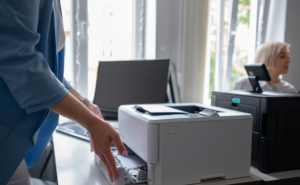
The growth of digital workplaces has not removed the need for printing equipment. Instead, modern printers increasingly support the movement of information between physical and digital formats.
Scanning allows employees to convert paper documents into electronic files that can be stored, shared, and reviewed. Some devices can send scanned documents directly to email addresses, network folders, or document management platforms. This reduces the need for manual file transfers and can make information easier to access.
Businesses can also use workflow software to route scanned documents for review or approval. For example, an invoice may be scanned and sent to an accounting system, where authorised employees can process it electronically. These capabilities allow printing equipment to support digital document management rather than operating separately from it.
New Developments in Office Printing
Printing technology continues to evolve as manufacturers focus on improving speed, reliability, and ease of use. Better control panels and simplified software can make equipment easier for employees to operate, while remote monitoring tools can help IT teams manage devices across an organisation.
Some advanced systems use monitoring data to identify unusual performance patterns and notify administrators when maintenance may be needed. This can help businesses address potential problems before they cause major interruptions.
Connected devices and smart office systems may also create opportunities for more centralised printing management. As these technologies develop, businesses can expect greater emphasis on automation, security, and efficient resource use.
Making a Smarter Printing Investment
Office printing remains an important part of business operations, even as organisations adopt more digital tools. The right equipment can help employees complete tasks efficiently, control supply expenses, protect sensitive information, and support document management.
By comparing printing technologies, connectivity options, security features, and long-term costs, businesses can choose equipment that matches their actual requirements. A well-planned investment does not simply provide a way to print documents. It supports a more organised, productive, and adaptable workplace.